

Guest forms
Collect guest details before arrival with Guest Forms. Share the check-in form by link or QR code.
NEW
Alojamento Local software, built by a host
For hosts and managers, from 1 to dozens of properties.
Start free
New accounts: 14-day free account trial, no card needed.
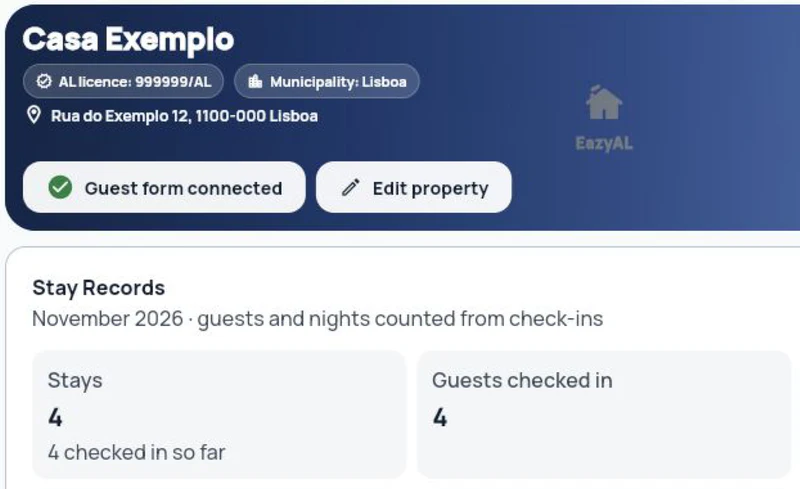
Guest forms and AL compliance tools in one place. Invoicing is an optional add-on for Essential, Pro and Automate.
Starting at €5/month billed annually (€60/year), excluding VAT.
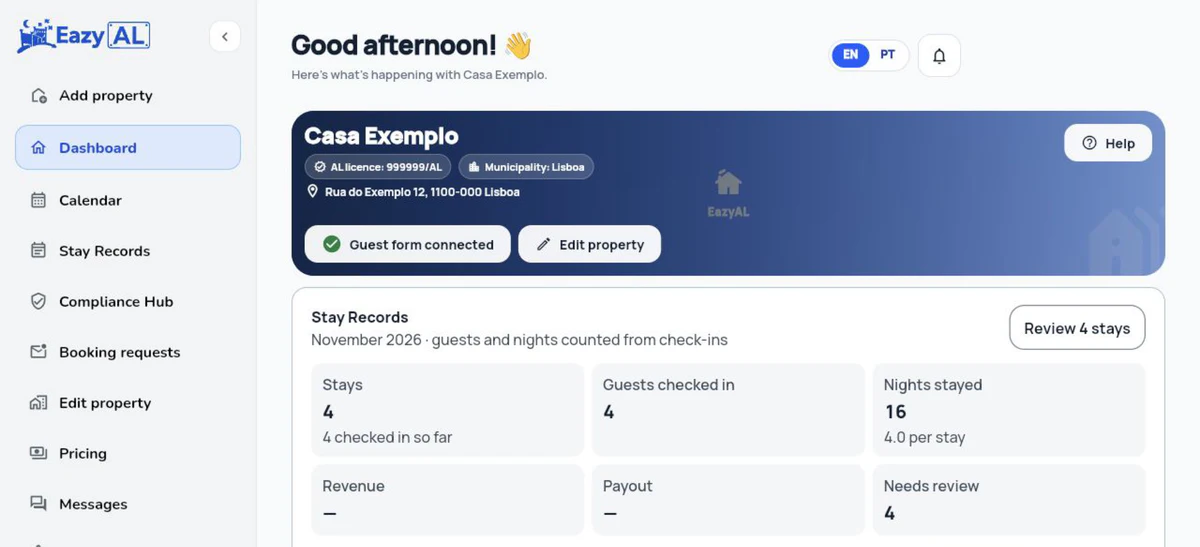
Your channels. Your direct bookings.





Integrates with:Airbnb · Booking.com · PriceLabs · Vendus · TOConline · InvoiceXpress
Less repeated admin
Register guests · SIBA
Issue invoices · optional add-on for Essential, Pro and Automate
ONLY WHEN APPLICABLE
Collect tourist tax · by municipality
Submit statistics · if notified
ONE WORKSPACE

1
Use your existing setup
Add direct bookings or connect your channel manager.
2
Connected bookings are imported. Subsequent tasks depend on setup, supported coverage and complete data.
Choose the setup that fits how you work.
Create your free account and try EazyAL.
No credit card. Set up in minutes, cancel anytime.
Start free
Already use invoicing software? Explore connections to Vendus, TOConline or InvoiceXpress and confirm the requirements for your account.
How it works
 Airbnb
 Booking.com
 Vrbo
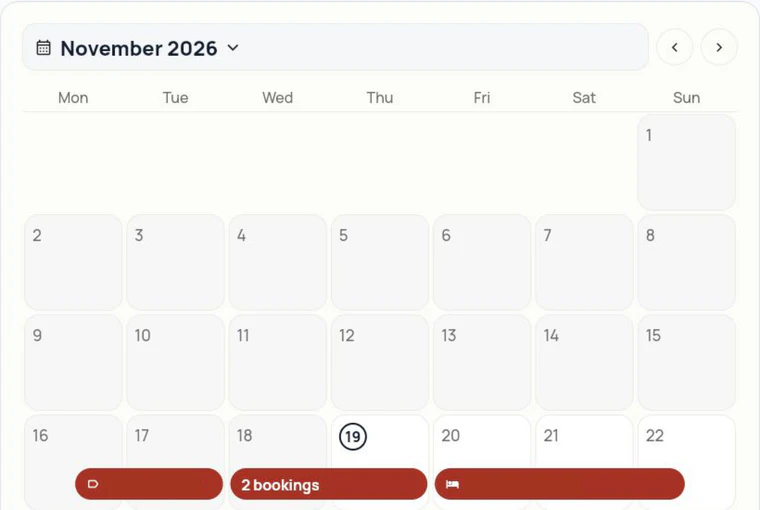
Connect Airbnb, Booking.com, Expedia, Vrbo and Agoda through the channel manager. Or receive direct bookings. Connections depend on property eligibility and setup.
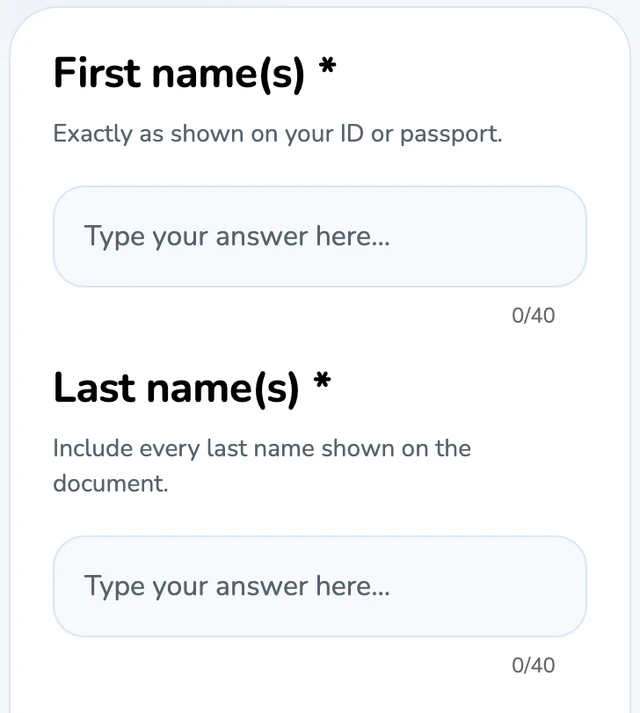
Collect details before arrival with guest forms. Share the check-in link for the property or room.
EazyAL organises your guest data, reports and pending tasks in one place.
Create your account today to try EazyAL
Join hundreds of Alojamento Local hosts staying compliant with less effort.
Start free
From booking to arrival
Collect guest details before arrival with Guest Forms. Share the check-in form by link or QR code.
Prepare entry codes and Wi-Fi details. Choose which arrival details guests can see.
Organise platform commissions and prepare the XML file. Review and submit Modelo 30 through Portal das Finanças.
Prepare figures for the survey that applies to your property. Review and submit SREA reports in the official portal.
Prepare invoices from stay details. Invoicing is an optional add-on for Essential, Pro and Automate.
Share your booking page. Receive direct bookings and manage those stays alongside connected channels.
Revenue
Connect Airbnb, Booking.com, Expedia, Vrbo and Agoda through the channel manager, switch on dynamic pricing with PriceLabs on Automate, and take direct bookings on your own page, commission-free.
More time for hosting
Start with guest check-in forms. Add compliance tools, faster passport entry and connected reservations as you grow.
Connect bookings and daily operations.
€21
per property / month + VAT
€252 billed annually
Everything in Pro, plus:
New accounts: 14-day free account trial, no card needed. Setup subject to availability. The channel manager trial is separate.
Spend less time typing guest details.
€13
per property / month + VAT
€156 billed annually
Everything in Essential, plus:
New accounts: 14-day free account trial, no card needed.
Simplify AL reporting and tourist tax.
€10
per property / month + VAT
€120 billed annually
Everything in Guest Forms, plus:
New accounts: 14-day free account trial, no card needed.
Collect guest details before arrival.
€5
per property / month + VAT
€60 billed annually
For hosts who only need guest forms
No SIBA, INE, tourist tax, invoicing or passport reading.
New accounts: 14-day free account trial, no card needed.
Tourist-tax submission and regional reporting depend on coverage.
See the full plan comparisonStill you. Just less paperwork.
Base-plan prices exclude VAT. At the 23% mainland Portugal rate, Guest Forms / Essential / Pro / Automate cost €6.15 / €12.30 / €15.99 / €25.83 per listing/month including VAT when billed annually, or €8.61 / €14.76 / €19.68 / €30.75 when billed monthly.
Optional add-on
Invoicing is an optional add-on for Essential, Pro or Automate, subject to availability and setup. Confirm the options in your account before activating it. It is not available with Guest Forms or included in the base-plan price.
Billed monthly per issuing NIF
The same issuing NIF used across multiple properties is charged only once, and those properties share one monthly document allowance.
Basic
0–100 fiscal documents
€9.90
/month
per issuing NIF
Intermediate
101–1,000 fiscal documents
€15.90
/month
per issuing NIF
Advanced
1,001–5,000 fiscal documents
€24.90
/month
per issuing NIF
Add-on prices include VAT. Monthly billing only. Annual plan discounts do not apply to this add-on.
Ask about invoicing
Contact us
How does EazyAL invoicing work?
With EazyAL Invoicing, choose a Stay Record, check the customer and the accommodation, cleaning and tourist-tax lines, then review and confirm the fiscal document. Issued PDFs are kept in document history.
Does invoicing cost extra?
Yes. EazyAL Invoicing is an optional monthly add-on available with Essential, Pro and Automate, separate from your base plan, and is charged per issuing NIF according to monthly document volume: €9.90 for 0–100 documents, €15.90 for 101–1,000, or €24.90 for 1,001–5,000. These add-on prices include VAT. One NIF shared across properties is charged once.
Where do invoices go?
The issued PDF is stored in EazyAL document history for download. You can also choose to send that PDF to the guest by email from EazyAL; it is not emailed automatically. Check the guest’s billing email before sending.
How do I start invoicing?
With Essential, Pro or Automate, open Compliance Hub → Invoices and follow the EazyAL Invoicing setup. Add the issuer’s legal details and NIF, choose the properties, connect the required restricted Finanças sub-user, and confirm the invoice series. Once setup is ready, select a stay and review the draft before issuing.
Is invoicing automated?
EazyAL can prefill invoice details from available booking records, but you review and confirm each fiscal document before it is issued. An iCal calendar feed usually provides dates and availability, not the amounts and tax details needed for a complete invoice.
What is iCal?
iCal is a calendar feed (an .ics link) that shares reservation dates and availability between a booking platform or channel manager and EazyAL. It is not the guest check-in form and does not provide all the financial details needed for invoicing.
How do I export an iCal link?
In your booking platform or channel manager, open the property’s calendar-sync settings and copy its export iCal link. In EazyAL, open that property’s calendar connection, paste the link and save. The menu names vary by provider; keep the private link out of public messages.
Does iCal send the guest form?
No. iCal only syncs calendar information such as stay dates and availability. It does not send a check-in form to the guest.
How is the guest form sent?
Copy the permanent guest check-in link from the property in EazyAL, then send it to the guest using your booking platform’s scheduled message, email or another channel you choose. Importing a reservation through iCal does not send the link automatically.
Does EazyAL work with my current channel manager?
You can keep your existing channel manager. EazyAL supports calendar sync through iCal and selected deeper PMS or channel-manager connections. The available data and actions depend on the provider; tell us its name so we can confirm the right setup.
How much does EazyAL cost?
With annual billing, the base plans are €5 per listing/month (€60/year) for Guest Forms, €10 for Essential, €13 for Pro and €21 for Automate, before VAT. Monthly billing may have different rates. Invoicing is an optional separate add-on for Essential, Pro and Automate; see the Pricing page for current plan details.
What if I manage many properties?
You can manage several properties from one EazyAL account. Managers and accountants can run their units from one dashboard: SIBA, INE reports, tourist tax and Modelo 30 are organised per property, and you can bulk-edit calendars and rates. If one entity invoices for several properties, the issuing NIF is charged only once for the invoicing add-on. Contact us for a quote.
What should I do if a stay has the wrong dates?
Correct the stay in Stay Records and review the changes before saving. If the stay was already reported to SIBA or another authority, follow the correction process for that submission; EazyAL does not silently rewrite a completed filing. An issued invoice also cannot be edited in place and may need a fiscal correction document.
How does tourist-tax field mapping work?
Tourist tax tools are available with Essential, Pro and Automate; Guest Forms does not include them. Set the property’s actual municipality, then review the applicable rate, stay dates, eligible guests, nights and exemptions. EazyAL maps supported totals to the municipality’s available declaration fields. Check any OTA-collected tax and review the official declaration before submitting, especially when a field has no matching exemption option.
Can I upload or submit Modelo 30 in EazyAL?
EazyAL can help review commission records, prepare a Modelo 30 draft and export the AT XML file. You validate the file and upload it through Portal das Finanças. EazyAL does not submit Modelo 30 for you.
Which credentials do I need for PMS or channel-manager setup?
For calendar-only sync, use the provider’s private iCal export link. A deeper PMS connection may require authorizing the provider account through EazyAL’s setup flow. Requirements differ by provider; enter credentials only in the official connection flow and never send passwords or API keys in email or chat.
How can I check whether a guest was submitted to SIBA?
SIBA submission is available with Essential, Pro and Automate; Guest Forms does not include it. Check the guest’s submission status in EazyAL and look for the official SIBA confirmation email. A completed check-in form by itself does not mean the SIBA submission has succeeded; use the status and confirmation as your record.
How do I get help during setup?
Start with your property, guest link and the connection you want to use, then follow the setup prompts in EazyAL. If you need help, contact EazyAL support with the provider name and the step where you are stuck. Do not include guest documents, passwords or API keys in your message.


